TL;DR I've built hf-mem, an experimental CLI to estimate inference memory requirements for models in the Hugging Face Hub via Safetensors metadata, fetched from the Hub w/ HTTP Range requests.
hf-mem is lightweight and only depends on httpx, can be run with uvx from uv, works with Transformers, Sentence Transformers and Diffusers compatible models, and should ideally support any other Safetensors repository (as long as the weight files are formatted in a standard way following any of the formats used by the aforementioned libraries).
Usage
uvx is preferred, given that you can directly run uvx hf-mem and it will pull the latest version from PyPI, installed the required dependencies (just httpx) and then run it; but you can really use any other alternative once installed with pip install hf-mem.
uvx hf-mem --help
usage: hf-mem [-h] --model-id MODEL_ID [--revision REVISION] [--json-output] [--ignore-table-width]

options:
  -h, --help            show this help message and exit
  --model-id MODEL_ID   Model ID on the Hugging Face Hub
  --revision REVISION   Model revision on the Hugging Face Hub
  --json-output         Whether to provide the output as a JSON instead of printed as table.
  --ignore-table-width  Whether to ignore the maximum recommended table width, in case the `--model-id` and/or `--revision` cause a row overflow when printing those.
Then you can run it with any available model with Safetensors weights on the Hugging Face Hub (private and gated models too, as long as you provide the necessary HF_TOKEN environment variable).
uvx hf-mem --model-id MiniMaxAI/MiniMax-M2
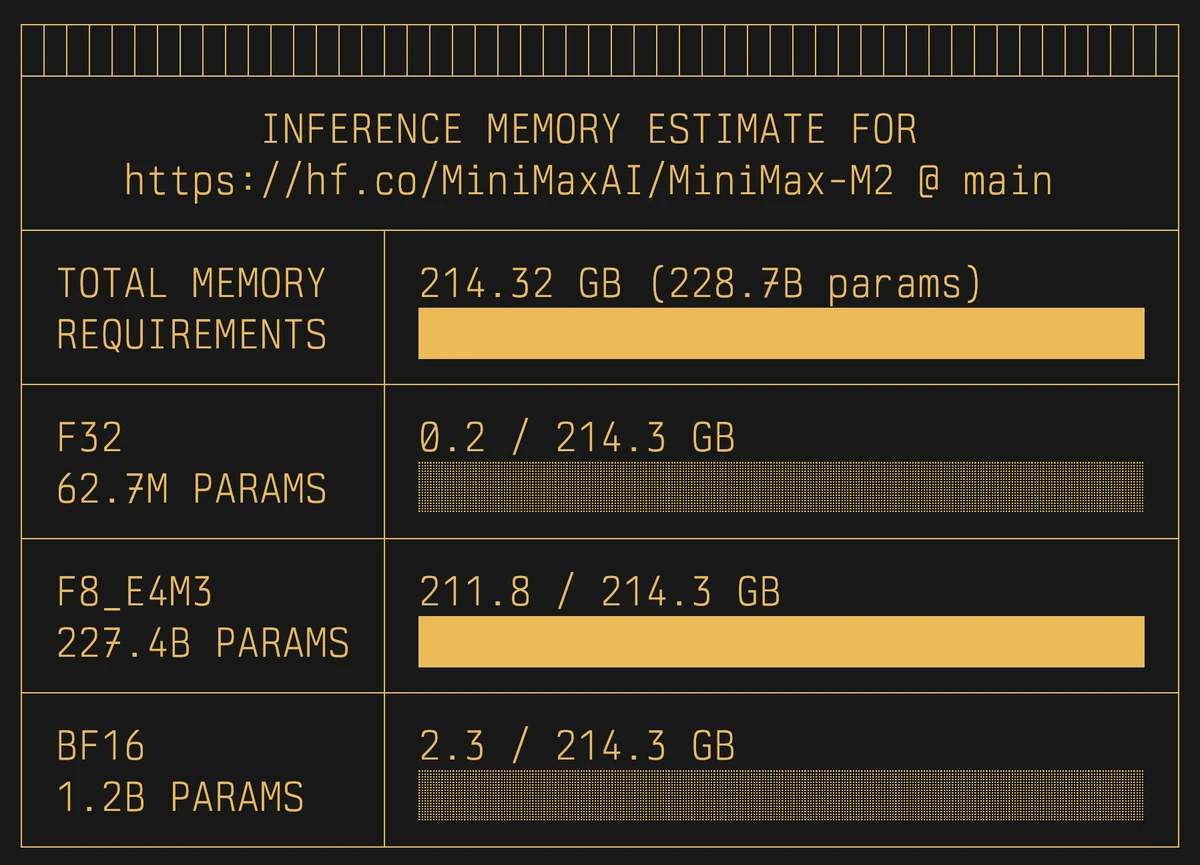
Given that it also works with Diffusers models, it also prints the required memory per component and dtype, so that you get an estimation on how much memory does each component in the diffusion pipeline require.
uvx hf-mem --model-id Qwen/Qwen-Image
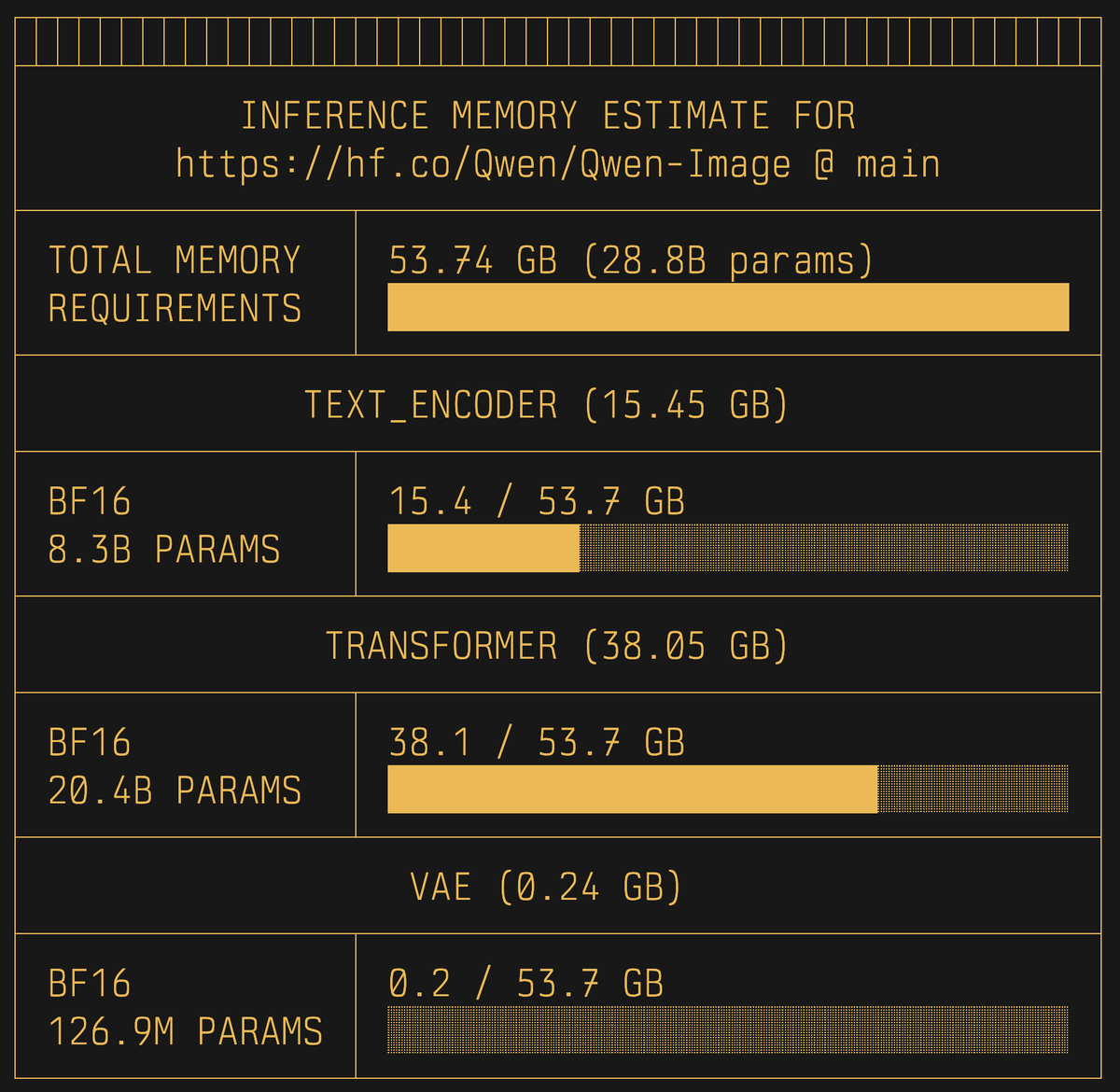
The screenshots above have been captured running the aforementioned commands in Kitty w/ Berkeley Mono from usgraphics.com, so the visuals might differ on your terminal e.g. Ghostty when render "░" nicely. Even if I envisioned the output to look exactly as shown above, it might indeed also look nice (even if different) on your terminal with your own custom settings, so if that's the case please feel free to share!
How It Works?
hf-mem fetches the Safetensors metadata from each of the Safetensors files with the model weights with an HTTP Range request (of the first 100kb of each file), which contains the distribution of the weights in the file including number of parameters and dtype, which helps estimate the total memory required to load the model for inference.
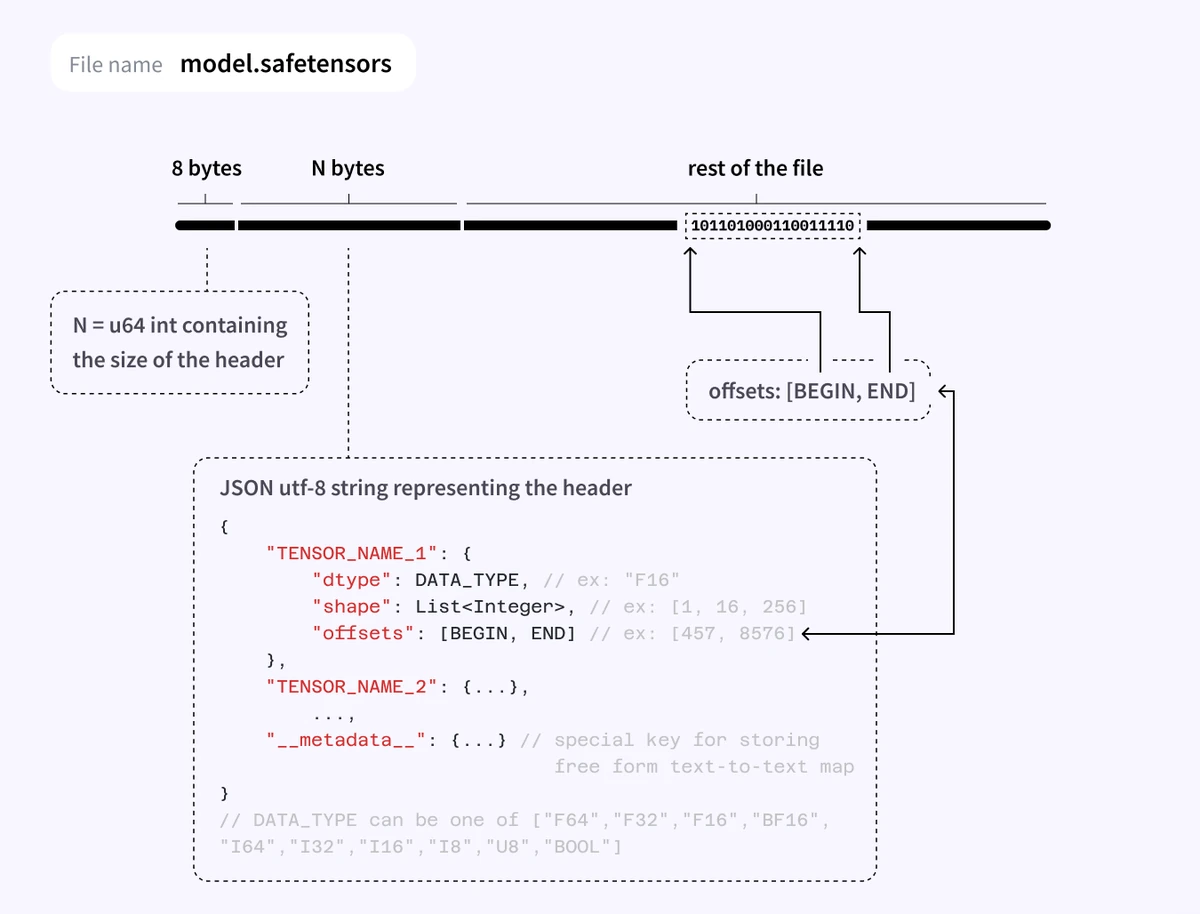
More information can be found in the Hugging Face Safetensors Documentation.
What Is Next?
Note that hf-mem does not yet capture context length for LLMs and VLMs, which can be retrieved and estimated from the max_position_embeddings field in the config.json (might require a different estimation for MoEs); neither extra Sentence-Transformers modules nor Static Embeddings. hf-mem anyway is in constant development and will continue to evolve to capture all the requirements to efficiently provide estimations for the required memory to run a given model.
References
This project has been mainly inspired by both:
- Safetensors Metadata parsing for the approach on pulling the metadata from the Safetensors files via HTTP.
- usgraphics - TR-100 Machine Report for the visuals.